 picosf
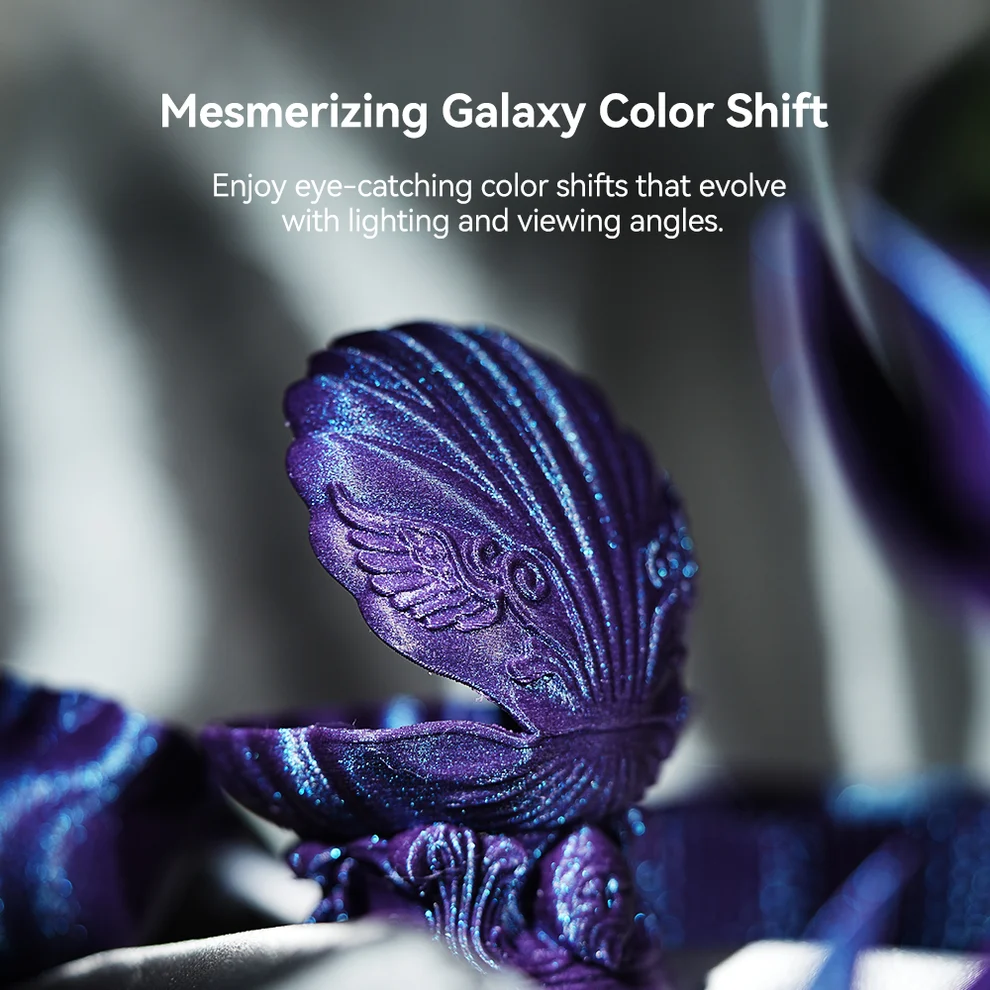
Loading a new spool of sparkling composite material into a 3D printer is an exciting moment. However, the completed physical model can sometimes appear relatively flat or dull under standard room lighting conditions. This visual discrepancy is often related to how the ultra-fine color-shifting pearlescent powder interacts with light within the printed material during the extrusion process. To achieve a noticeable and striking color shift, operators need to carefully control how the melted polymer flows through the hotend, as well as how it ultimately cools and solidifies upon the build plate. This deliberate physical manipulation helps ensure that the tiny reflective particles lie flat and remain near the exterior surface, allowing them to effectively diffuse and reflect ambient light back to the viewer.
Optical Alignment and Melt Rheology
The optical characteristics of a printed object depend heavily on the physical behavior of the melted polymer as it exits the nozzle. If the extrusion process occurs too rapidly, the internal polymer chains can stretch and tumble, which subsequently scatters the suspended glitter particles in random and unpredictable directions. Reducing the print speed specifically for the exterior perimeter walls allows the hot plastic to settle in a much more even and controlled manner. This slower deposition provides the microscopic flakes with adequate time to align horizontally parallel to the printed layer lines. Furthermore, utilizing high-quality PLA Filaments with strict diameter tolerances ensures a steady feed rate, which effectively prevents sudden under-extrusion that could create rough and unreflective patches on the surface.
Printing Temperature and Pearlescent Effects
Printing temperature can influence extrusion consistency and the surface appearance of Galaxy Filament. If the temperature is too low for the selected printing speed, the filament may not melt and flow consistently, potentially resulting in uneven surfaces or incomplete layer bonding. On the other hand, excessively high temperatures may affect print quality through issues such as oozing or stringing. Following the manufacturer’s recommended temperature range and adjusting settings according to printing speed can help achieve more consistent results. For SUNLU PLA Galaxy, the recommended nozzle temperature is 200–230°C, with the appropriate setting depending on the printer and printing conditions. A temperature tower can help users identify a suitable setting for their specific setup while evaluating the appearance of the pearlescent finish.
Cooling Profiles and Polymer Solidification
The part cooling fan profile exerts a considerable influence on the final surface texture and optical depth. If the cooling fan operates at maximum capacity from the initial layer, the outer skin of the print may solidify too rapidly. This sudden thermal shock tends to trap the sparkle particles in chaotic orientations before they have adequate time to align properly. Adjusting the fan speed to ramp up gradually allows the plastic to cool at a more controlled rate.
Volumetric Consumption and Geometric Design
The visual prominence of the color transition depends significantly on the volume of filament consumed over the vertical height of the printed model. Small, thin-walled objects may finish printing before the color cycle advances enough to reveal a full gradient. Increasing the internal infill density or adding extra exterior perimeter walls consumes more material per layer. Using a premium Galaxy Filament with consistent diameter tolerances provides a predictable flow rate, which is essential for maintaining a seamless shimmer during extended print jobs. Rotating the object on the build plate also helps ensure the main color shift aligns with the most prominent visible areas.
Hardware Wear and Extrusion Mechanics
The physical composition of these metallic particles can introduce a mild abrasive effect over extended periods of use. Standard brass nozzles may gradually wear at the orifice when continuously printing these composite materials. This mechanical wear slowly alters the extrusion width and affects the overall surface consistency. Upgrading to a hardened steel nozzle represents a practical step for maintaining dimensional precision over multiple spools. The increased friction in the feed path also requires periodic attention, as checking the tension on the idler arm can help prevent the filament from grinding flat and interrupting the material feed. A dual-drive extruder system typically handles these slightly abrasive materials with more reliability than single-gear setups.
Material Storage and Quality Assurance
Maintaining material consistency before and during the print cycle prevents erratic extrusion behavior that can ruin the optical finish. Exposure to ambient humidity allows the polymer to absorb moisture, which turns into steam inside the hotend and creates tiny bubbles that scatter light. Keeping the spool in a sealed container with fresh desiccant helps maintain a typical shelf life of one and a half to two years, ensuring the material remains dry and ready for complex projects.
Dedicating clean printer hardware to specific material types can help reduce the risk of residual sparkle particles transferring to other prints. When switching between different filaments, cleaning the nozzle and checking the feed path can help maintain consistent extrusion. Sourcing materials from a reliable manufacturer like SUNLU also helps users obtain consistent filament dimensions and color quality. By combining appropriate printing temperatures, suitable slicing settings, and proper material storage, users can make better use of the color-shifting effects of the pearlescent powder and achieve visually appealing results.